


• Home
  • Startup
  • Money & Finance
  • Starting a Business
    • Branding
    • Business Ideas
    • Business Models
    • Business Plans
    • Fundraising
  • Growing a Business
  • More
    • Innovation
    • Leadership
Trending

Why Conversational Commerce is the Future of Shopping

May 29, 2025

10 Leadership Myths You Need to Stop Believing

May 29, 2025

Tesla’s Layoffs Won’t Solve Its Growing Pains

May 29, 2025
Facebook Twitter Instagram
  • Newsletter
  • Submit Articles
  • Privacy
  • Advertise
  • Contact
Facebook Twitter Instagram
InDirectica
  • Home
  • Startup
  • Money & Finance
  • Starting a Business
    • Branding
    • Business Ideas
    • Business Models
    • Business Plans
    • Fundraising
  • Growing a Business
  • More
    • Innovation
    • Leadership
Subscribe for Alerts
InDirectica
Home » iPhone 15 Pro’s Action Button Is Superior But It Misses The Mark
Innovation

iPhone 15 Pro’s Action Button Is Superior But It Misses The Mark

adminBy adminSeptember 29, 20230 ViewsNo Comments3 Mins Read
Facebook Twitter Pinterest LinkedIn Tumblr Email

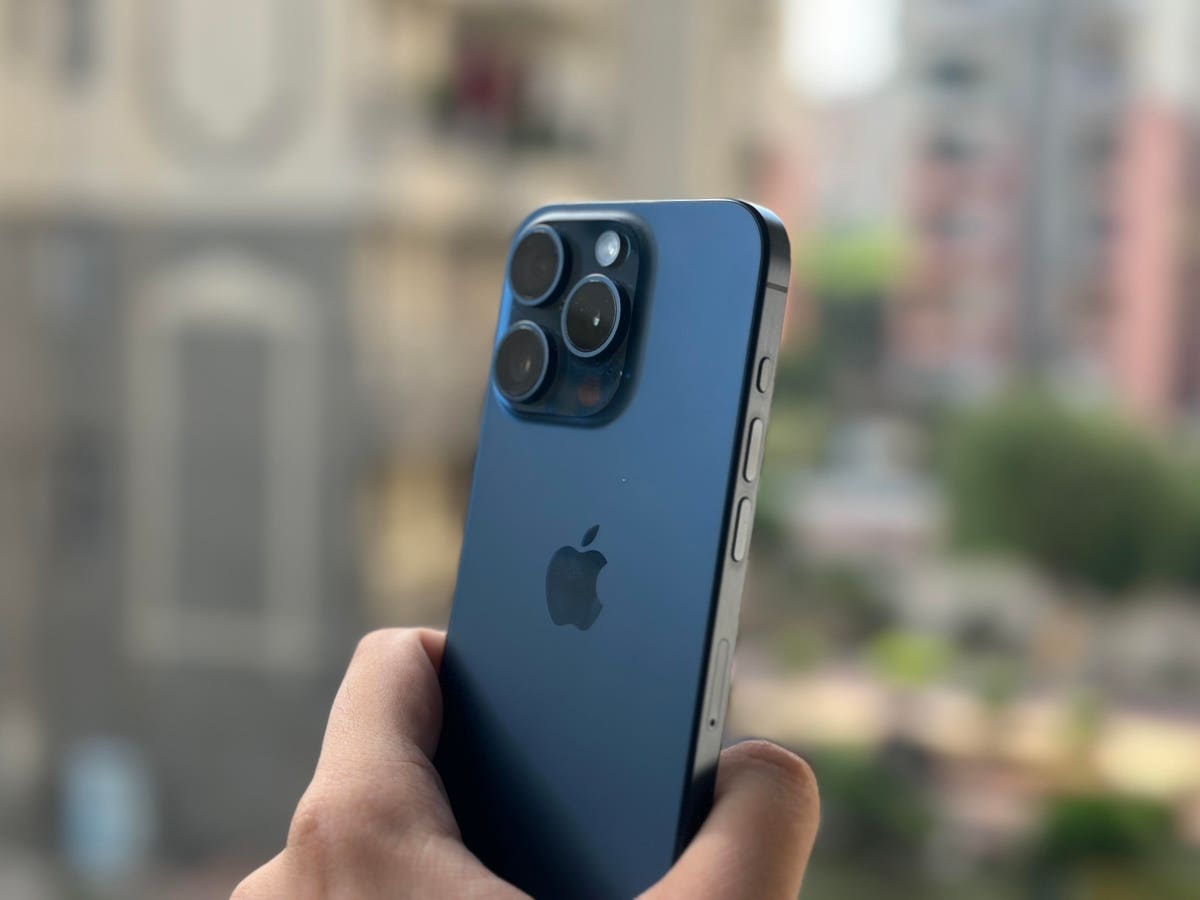
This year, Apple removed the one feature that has been present on iPhones since the very first one was announced in 2007 – ring/silent switch. It has been replaced with an Action button on the iPhone 15 Pro and 15 Pro Max. I prefer buttons over switches because they provide better flexibility.

A switch can either be on or off but a button can be used to trigger various other actions by interacting with it in different ways. However, after a few days of using the iPhone 15 Pro, it feels like the new Action button isn’t reaching its full potential.

In my view, there are two advantages of that a button could offer over a switch. First, you can map it to whatever you want. Second, you get more ways to interact with it by single press, double press, triple press and press-and-hold. But the Action button on the iPhone 15 Pro only lets you trigger an action by a single method – press-and-hold. It provides more options than the silent/ring switch but doesn’t offer the flexibility of using it for more than one action.

You can still use the Action button on the iPhone 15 Pro to turn on the silent mode. Plus, it can also be assigned to seven other actions – Focus, Camera, Torch, Voice Memo, Magnifier, Shortcut, Accessibility or set it up for No Action. The real power lies in setting it up with Shortcuts and mapping it to launch your most-used/favorite apps.

For instance, I have mapped it to Google Pay for quick UPI transactions, so I can scan a QR code as soon as I unlock it with Face ID. It works wonderfully, which makes it superior to the ring/silent switch. However, it misses the mark because there is no double press or triple press to trigger more actions.

The purpose of replacing a switch with a button is to provide more flexibility but the Action button only provides more options. It isn’t giving me more ways to interact with my iPhone 15 Pro by performing multiple actions with the same button. I only get press-and-hold to trigger an action.

Every time I use the Action button, I feel limited because I can’t launch the camera or turn on the Silent mode if I have set it up to launch Google Pay. Ideally, Apple should’ve given us three ways to use the Action button with double press, triple press and press-and-hold.

For context, some Android phones like the Samsung Galaxy S23 Ultra give you multiple ways to interact with the device, such as launching the camera with a double press and triggering Bixby with a press-and-hold. However, you can’t achieve this level of customization with the Action Button on the iPhone 15 Pro. Apple’s approach is more restrictive in nature.

Perhaps Apple could release a software update in the future to add multiple ways of interaction with the new button. For now, I like the Action button but I can’t help feel limited when I think about the many possibilities if there were more ways to trigger actions. It is definitely a welcome addition and better than the ring/silent switch but it hasn’t yet realized its full potential.

Read the full article here

Share. Facebook Twitter Pinterest LinkedIn Tumblr Email

Related Articles

Going Eco Benefits Planet And This Hotel’s Bottom Line

Innovation May 29, 2025

What IBM’s Deal For HashiCorp Means For The Cloud Infra Battle

Innovation April 25, 2024

Is Telepathy Possible? Perhaps, Due To New Technology

Innovation April 24, 2024

Luminar Launches Production For Volvo, Shows Next-Gen Halo Lidar

Innovation April 23, 2024

Turning Customers Into Investors – Tiny Health’s Experience

Innovation April 22, 2024

Netflix’s Best New Original Series Is Stressing Me Out

Innovation April 21, 2024
Add A Comment

Leave A Reply Cancel Reply

Editors Picks

Why Conversational Commerce is the Future of Shopping

May 29, 2025

10 Leadership Myths You Need to Stop Believing

May 29, 2025

Tesla’s Layoffs Won’t Solve Its Growing Pains

May 29, 2025

Going Eco Benefits Planet And This Hotel’s Bottom Line

May 29, 2025

What IBM’s Deal For HashiCorp Means For The Cloud Infra Battle

April 25, 2024

Latest Posts

The Future of Football Comes Down to These Two Words, Says This CEO

April 25, 2024

This Side Hustle Is Helping Land-Owners Earn Up to $60,000 a Year

April 25, 2024

A Wave of AI Tools Is Set to Transform Work Meetings

April 25, 2024

Is Telepathy Possible? Perhaps, Due To New Technology

April 24, 2024

How to Control the Way People Think About You

April 24, 2024
Advertisement
Demo

InDirectica is your one-stop website for the latest news and updates about how to start a business, follow us now to get the news that matters to you.

Facebook Twitter Instagram Pinterest YouTube
Sections
  • Growing a Business
  • Innovation
  • Leadership
  • Money & Finance
  • Starting a Business
Trending Topics
  • Branding
  • Business Ideas
  • Business Models
  • Business Plans
  • Fundraising

Subscribe to Updates

Get the latest business and startup news and updates directly to your inbox.

© 2026 InDirectica. All Rights Reserved.
  • Privacy Policy
  • Terms of use
  • Press Release
  • Advertise
  • Contact

Type above and press Enter to search. Press Esc to cancel.